Now that the Major League Baseball season is over, some of you may want to have a copy of the stats on your computer to view, sort and filter.
Most of us are fine with browsing the nicely formatted web pages at Baseball Reference, MLB.com or ESPN.com. However, if you’re a stat geek, a replayer, or a league commissioner, you’ll want a spreadsheet in front of you so you can filter, sort and manipulate the data. I’ve already seen some websites that have advertised they have them the 2016 MLB stats available for download. However, not all may include every stat that you may want.
Here’s one solution:
 Go to Baseball Reference’s 2016 MLB Standard Batting page.
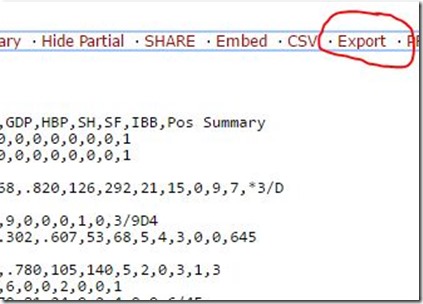
 - Scroll down to the player roster and click “Export” (see top photo). A file named leagues_NL_2016-standard-pitching_players_standard_batting.csv will be downloaded to your computer.
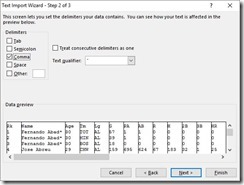
- Using Excel, open this file. Since it is a comma-delimited text file, it will ask you how it is delimited. Make sure to choose “Delimited” and “Comma” (see right) and it will format the columns correctly.
- Save it as an Excel document. This will allow advanced formatting and give you the ability to sort and filter.
- Repeat the same process with the 2016 MLB Standard Pitching page. This file will be named “leagues_NL_2016-standard-pitching_players_standard_pitching.csv.
One caveat
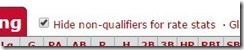 This feature will only those players who are qualifiers by default. If you want to export every player, you need to uncheck the box next to “Hide non-qualifiers for rate stats” (see left).
In all, the process takes just a few minutes. There are plenty of tables of data at Baseball Reference that allow you to Export the data so that you can you can use it.
Unfortunately, the transactions data cannot be exported but can be copied and pasted into an Excel worksheet and with a little massaging, it be usable.
I hope this helps someone!